 SleuthLens
Features
See which pins work, and fix the rest
SleuthLens reads your own Pinterest numbers, sorts every pin by why it is weak, checks the pages your pins point to and helps you write better ones. Real screens below.
Measure
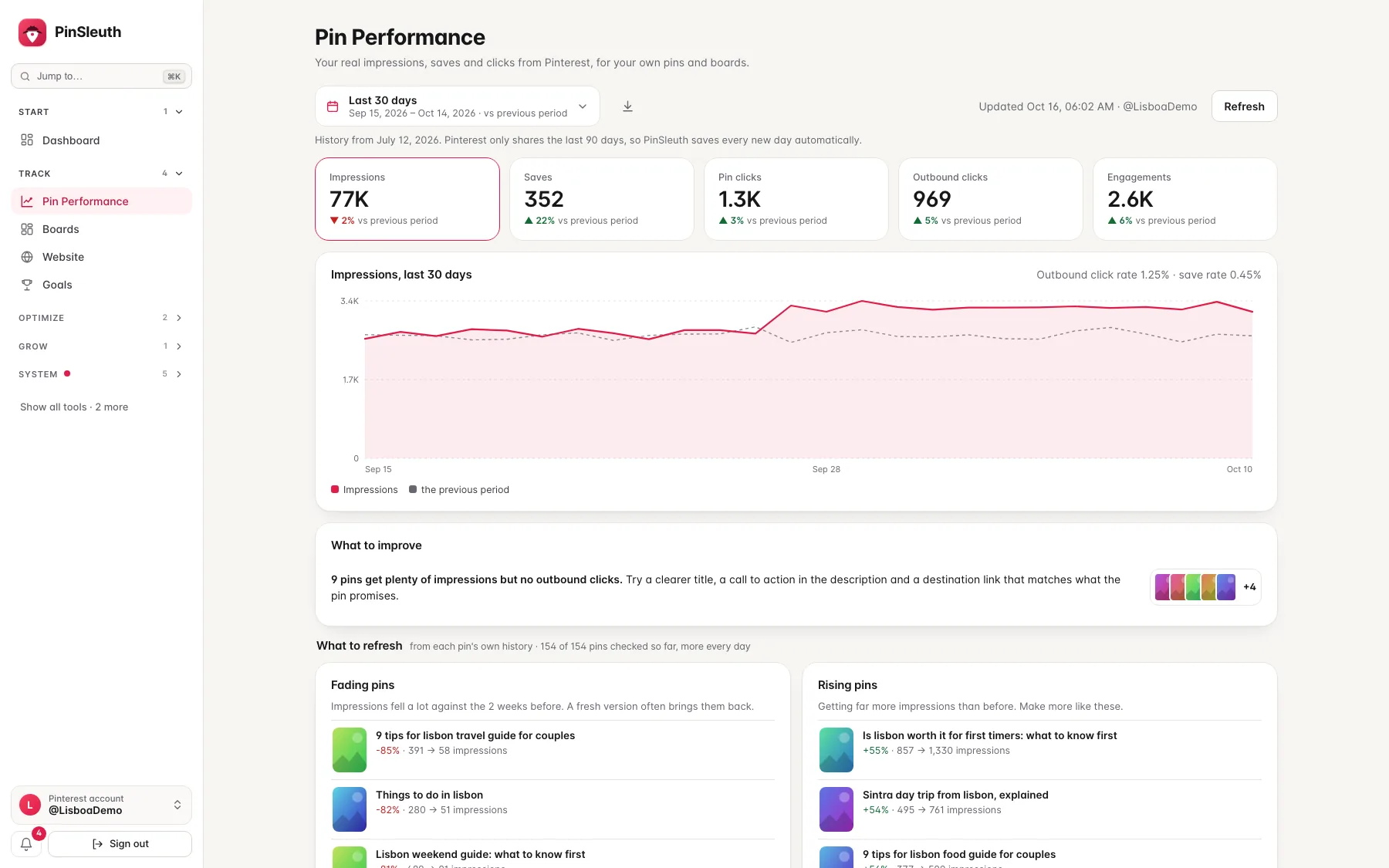
See what your pins really earn
Connect your Pinterest account through Pinterest’s own sign-in. SleuthLens reads your analytics once a day and never posts.
Pin performance
Impressions, saves and clicks, compared
The last 7, 30 or 90 days, or your own dates, each compared with the period before. Your pins and boards, with the click rate of each.
Best pins
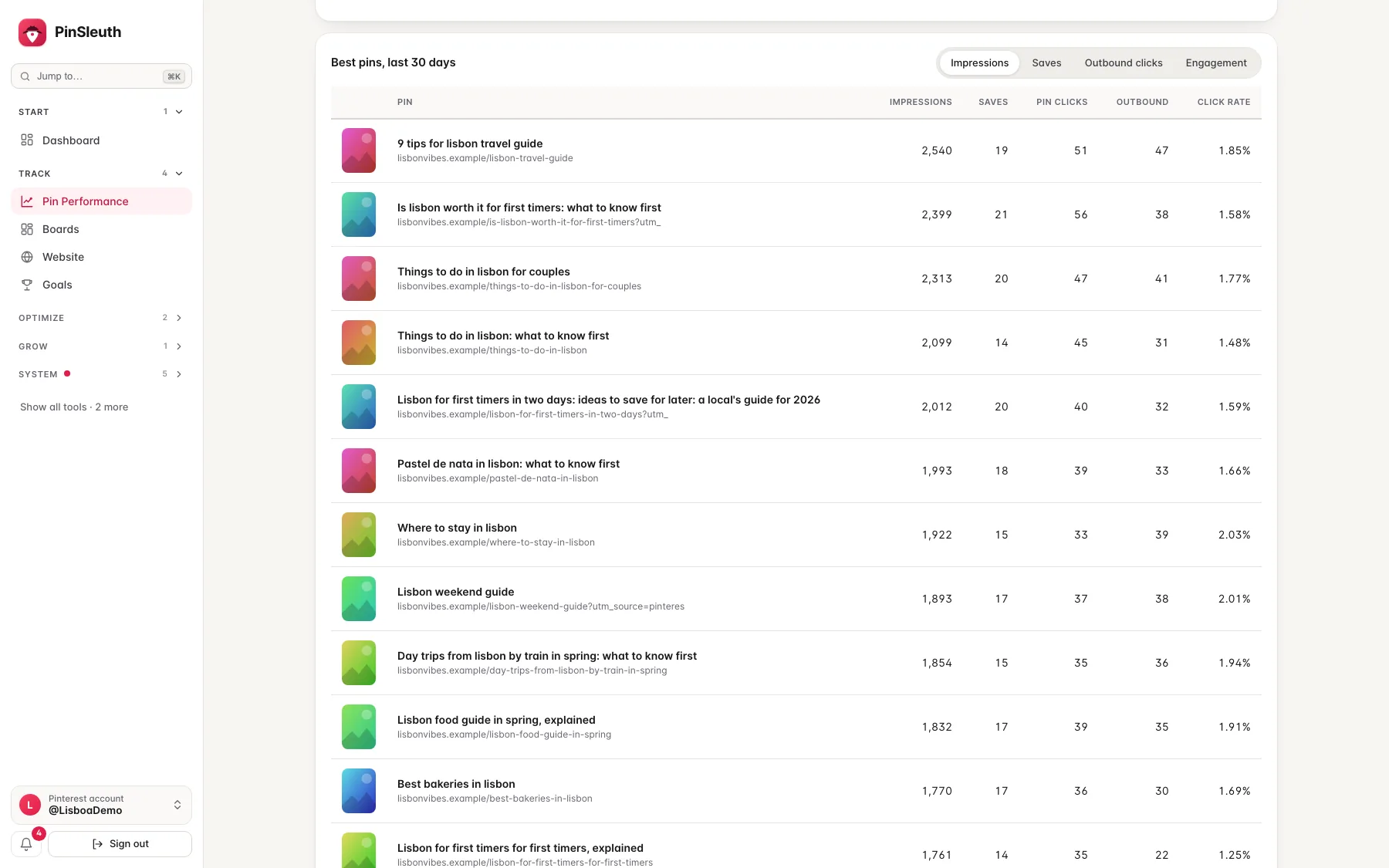
See which pins carry the account
Ranked by impressions, saves, outbound clicks or engagement, so you know what to make more of.
Diagnose
Find out why a pin is weak
Every pin is sorted by cause, with the reason and what to do about it.
The pages your pins point to
Broken links, pages slower than four seconds, pages that keep Pinterest’s crawler out, and titles that do not match the page. These are the causes Pinterest itself lists for declining performance.
Near-duplicates and thin text
Pins with the same page and almost the same title as a stronger one, and pins with no description or a very short one.
Pins that only need time
Pins under 90 days old, and pins that earned clicks in the coming months last year, are marked so you do not judge them too early.
How your results are spread
The top 1%, 5% and 20% of your pins, and how many earned no clicks at all.
Do dead-looking pins come alive?
From your own click history: of the pins that earned almost no clicks in months 6 to 12, how many earned clicks later.
Never “delete” a weak pin
Pin Health explains why a pin is weak and what to try. It does not tell you to delete weak pins: there is no evidence that removing them helps the others. For near-duplicates it shows which pin to keep, and suggests what to do with the copy.
Fix
Improve what you already have
Your best posts are due new pins, and some pins just need a better title.
Pin refresh
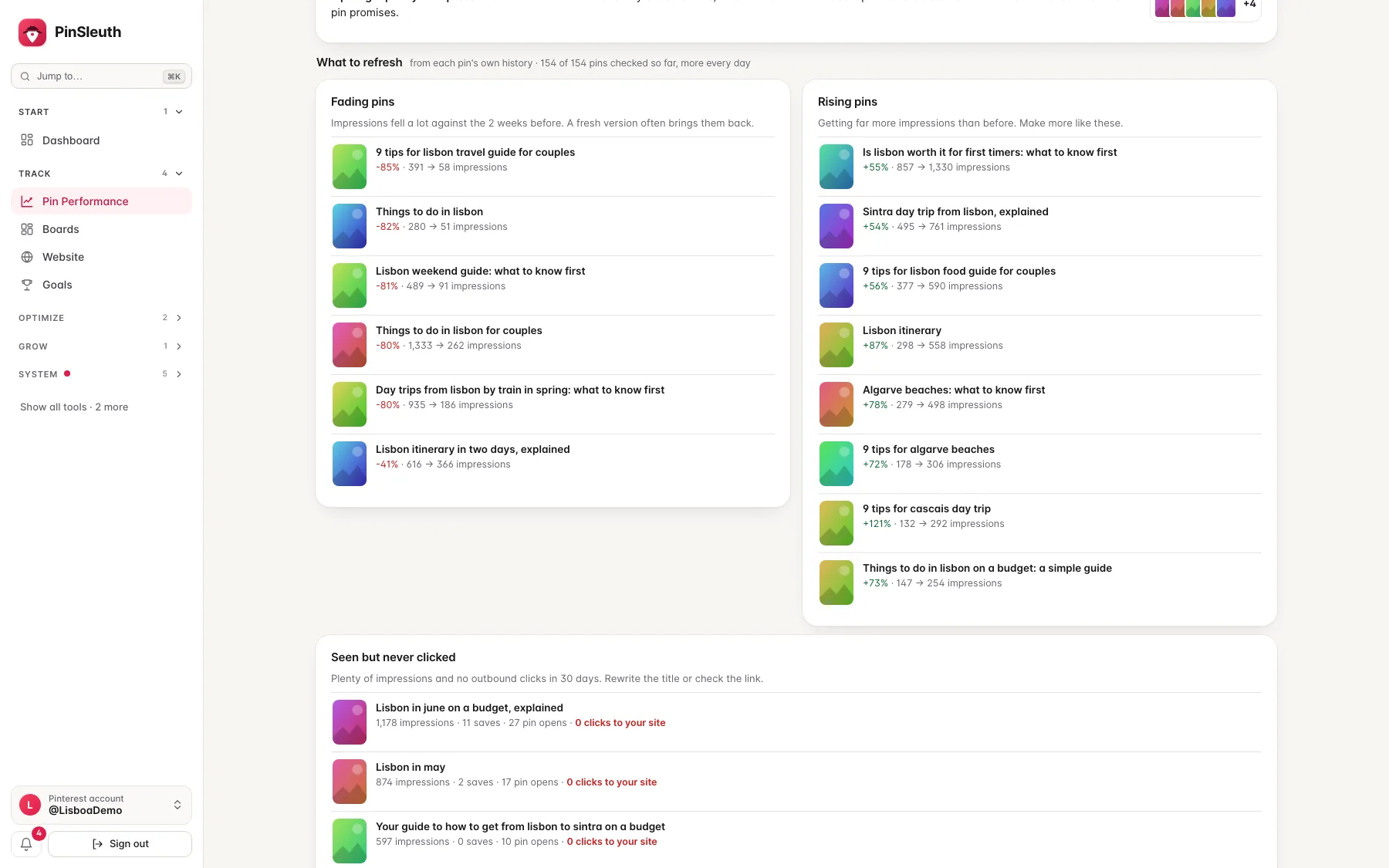
Know which pins to refresh
Fading pins, rising pins and pins that get seen but never clicked, from each pin’s own history.
Plan and learn
Know what to pin next, and whether your edits worked
SleuthLens connects your blog to your Pinterest account, and keeps track of the changes you make.
Your blog next to Pinterest
Add your website and see which posts are on Pinterest and which are not, which earn well from a single pin, and which one to pin next. Export pin drafts as a file for Pinterest’s bulk upload. SleuthLens only reads the public pages of your own site. How it works →
Did your edits work?
Change the title or description of some pins and SleuthLens notices. After two weeks it compares them with the pins you left alone and tells you what worked and what did not, with suggestions for the next pins to edit. How it works →
Use it from Claude
Connect Claude, Cursor or Codex and ask questions about your own pins, posts and edits. SleuthLens only reads. It never posts or changes anything.
Write
Write the pin from the page it links to.
Give the writer your keyword and the link of your page. It reads the page and drafts titles, descriptions, board names and alt text that match it. The browser extension puts it on Pinterest’s own pin creation page.
- Drafts written from your own page
- A check that your title matches the page
- One click fills Pinterest’s own fields
- It never posts or schedules anything
Report
Let the tool do the reporting
Share results with clients and keep yourself informed without opening a spreadsheet.
Client reports
A branded report for a client as a page or a PDF, with your Pinterest results, edits and website. Send it by email on a schedule.
Weekly digest
A summary of your Pinterest numbers and goals, in your inbox once a week.
Alerts
In the app and by email: impressions drop, a pin takes off, or a goal is reached.
The whole loop
Look at the numbers, understand them, then fix what matters.
Most pins are weak for a reason you can fix. SleuthLens shows you which reason.
1
Measure
See what your pins really earn.
- Impressions, saves and clicks from Pinterest itself
- Each compared with the period before
2
Diagnose
Find out why a pin is weak.
- Broken, slow or mismatched pages
- Near-duplicates and thin text
- Pins that only need time, or their season
3
Fix
Improve what you already have.
- Fading pins and pins nobody clicks
- Proven posts that need fresh pins
- A writer that reads your page
Questions
Questions about the features
Do I need a Pinterest login to use SleuthLens?
You connect your Pinterest account to see your own numbers. You approve it on Pinterest’s own page, it is read-only, and you can disconnect and delete the data any time.
What does connecting my Pinterest account do?
SleuthLens then reads your analytics, pins and boards once a day. It cannot post or change anything.
Does it work on my phone?
Yes. Every page fits a phone screen, and the extension works in Chrome, Edge and Brave on a computer.
Which plan includes what?
Every plan includes the dashboard, Pin Performance, Pin Health, the pin writer and the Pinterest connection. Higher plans add more websites and more. See the pricing page for the exact list.
Start your 14-day free trial
Pick a plan, add a card, and pay nothing if you cancel within 14 days.