 SleuthLens
Start · Feature
Know how your account is doing in ten seconds
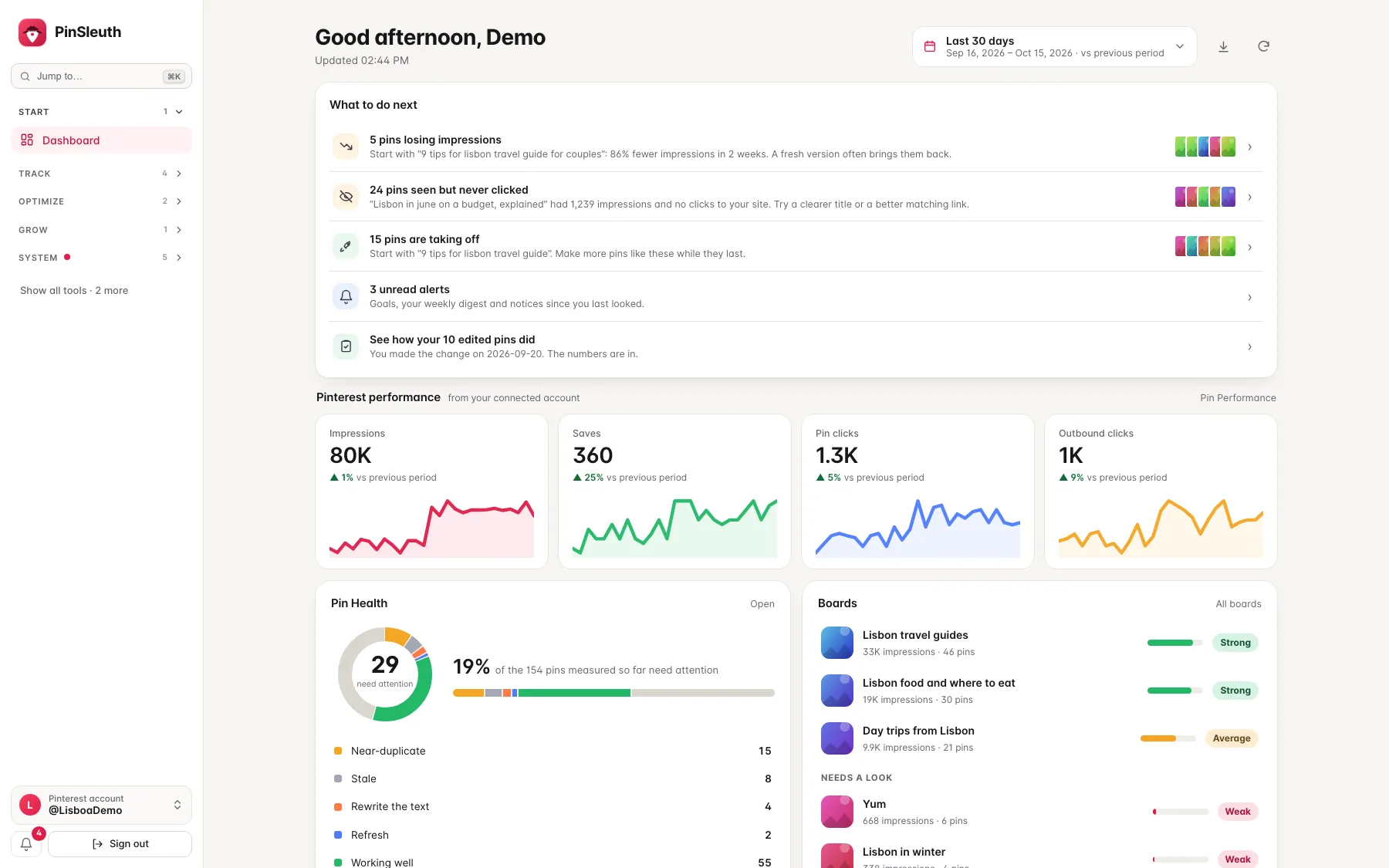
The dashboard puts your real Pinterest numbers next to a short list of what to do next: pins losing impressions, pins that get seen but never clicked, and pins that are taking off.
What you get
What it does
What to do next
A short list of the next best steps, each with the pins it is about. Tick it off, snooze it or hide it, and every item opens the exact list behind it.
Your real numbers
Impressions, saves, pin clicks and outbound clicks from your own Pinterest account, each with a trend line and the change against the period before.
Health, boards and goals at a glance
See how many pins need attention and why, which boards pull their weight, and how your goals are coming along.
Three steps
How it works
Connect Pinterest
Approve the connection on Pinterest’s own page. SleuthLens only reads your own data.
Open the dashboard
It is the first page after you sign in. The first numbers appear within a minute.
Work through the list
Start at the top of What to do next and open the item to see the pins.
Questions
Common questions
Where do the numbers come from?
From Pinterest itself, for your own account, once you connect it. You can also import the files Pinterest lets you export.
Does SleuthLens post or change anything on Pinterest?
No. The connection is read-only. You make every change on Pinterest yourself, and SleuthLens can notice it afterwards.
Can I try it first?
Yes. The demo at app.sleuthlens.com/demo shows a made-up travel blog with sample pins. Nothing can be changed there.
Keep going
Works well with
Start your 14-day free trial
Pick a plan, add a card, and pay nothing if you cancel within 14 days.