 SleuthLens
Plan · Feature
Pin before the peak, not after it
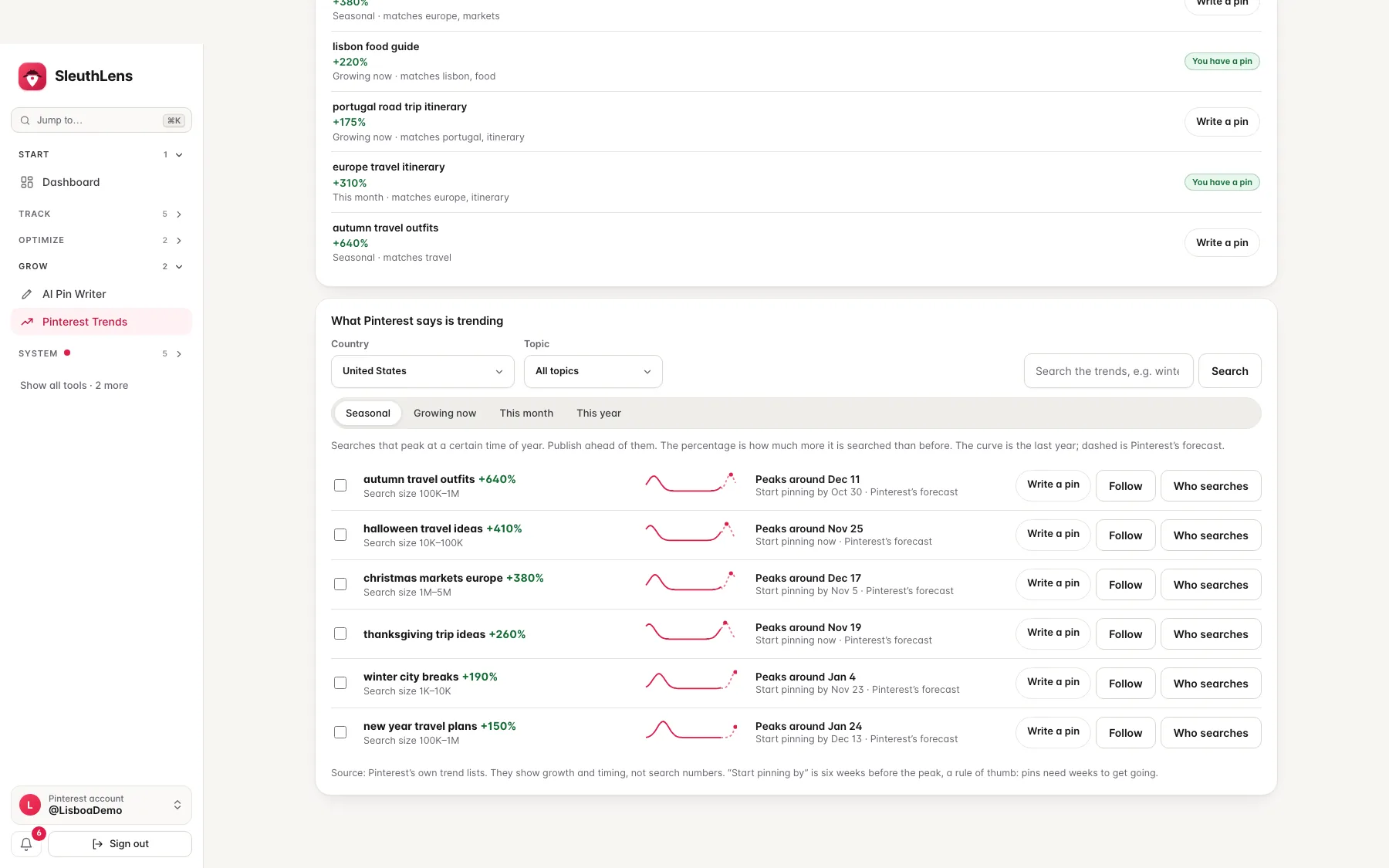
Pinterest publishes its own trend lists. SleuthLens shows them for your country and topic, draws each search’s curve and forecast, says when it peaks and when to start pinning, and points out the trends that fit pins you already have.
See it work
Pin before the peak
Pinterest’s own trend lists, with a curve and a date for every search.
What you get
What it does
A curve and a date for every trend
Each search shows the last year and Pinterest’s own forecast, the day it peaks and a start-pinning date six weeks before. Pins need weeks to get going, so the early pin wins.
Your country and your topic
Eighteen regions and twenty-four topics, for seasonal searches, growing now, this month and this year. Searches that fit your own pins are shown first, with a button to write the pin.
Follow, compare and ask who searches
Follow a search and get a note in Alerts when it is about to peak or growing fast, and see its dates in the pinning calendar. Compare up to five searches on one scale, and see the age and gender of the people who search.
Three steps
How it works
Pick your country and topic
Choose seasonal, growing now, this month or this year.
Read the curve and the date
See when the search peaks and when to start pinning.
Write the pin early
Press Write a pin and the pin writer starts from that search. Follow it to get a note before the peak.
Questions
Common questions
Is this Pinterest’s own data?
Yes. The lists come from Pinterest through your connected account. They show growth and timing, not exact search numbers.
Can I see how big a search is?
Optionally. Allow read access to your Pinterest ad account and SleuthLens shows Pinterest’s own range, like 10K–100K, for the searches Pinterest has one for. Most long searches have none.
Does it post anything?
No. SleuthLens only reads.
Keep going
Works well with
Start your 14-day free trial
Pick a plan, add a card, and pay nothing if you cancel within 14 days.